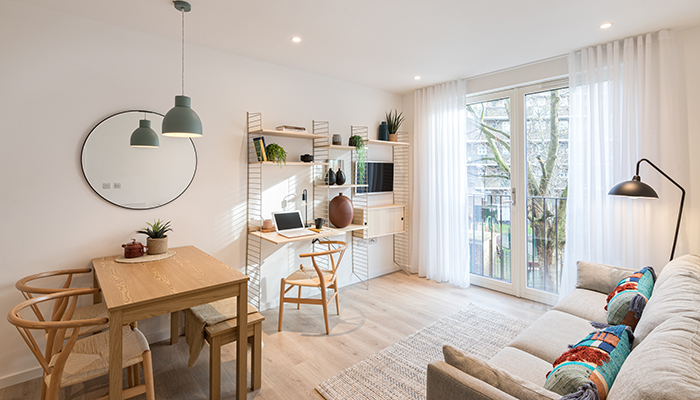
Snuggling up on the couch as you work from home may be comfy at first, but before you know it, you’re still wearing your pyjamas at lunchtime, and your posture resembles a prawn. That’s why it’s essential to have a working-from-home setup that supports productivity and wellbeing.
Thankfully, you don’t need a separate home office to effectively WFH. While smaller living spaces can present challenges, there are various ways to make them work for your needs. Whether you follow a hybrid or remote arrangement, these tips will help you create your ideal working-from-home setup in your Pocket apartment.
How to create your perfect working-from-home setup
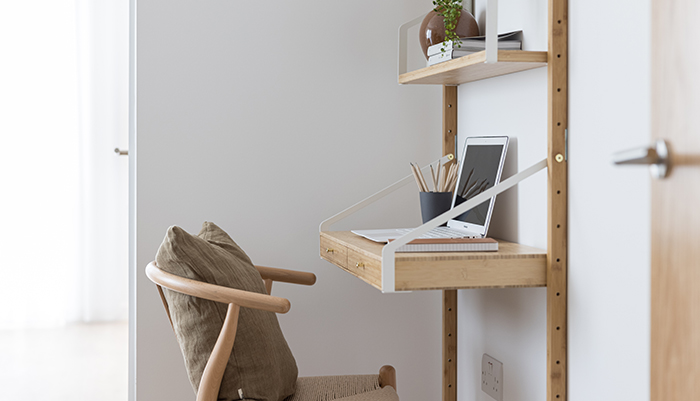
Choose furniture carefully
Be intentional when choosing and placing your home office furniture. An adjustable chair that’s comfortable and supportive will help you maintain good posture throughout the day. Meanwhile, modular furniture is a clever option for your workstation, as it can bring together shelving, storage and a desk in a single compact design. When positioning your screen, place it at eye level, between 52-73cm from your face – about an arm’s length – to prevent neck, lower back and eye strain.
Have a dedicated desk space
The living space in your Pocket home is the perfect spot for your workstation. By working near the window, you’ll receive adequate sunlight, and you can look out at the view intermittently for a screen break, which is good for eye health. Remember to install blinds to reduce glare on your screen, as this can cause discomfort and tired eyes.
If you prefer to work in your bedroom, we recommend placing a desk in the alcove opposite the window or perpendicular to the window. Just be mindful that working from your bedroom can negatively impact your sleep quality and ability to separate your work and personal life.
Consider lighting
If you need additional light, consider supplementing natural light with artificial task lighting. A focused, adjustable light source like a desk lamp can help you see clearly and comfortably, especially on grey days.
Smart lightbulbs connected to a smart hub let you control lighting throughout your home, including colour temperature. Whether you choose desk or wall-mounted lights, look for designs that let you adjust the lamp’s position and angle for both direct and indirect lighting.
Think vertically
Your workspace only needs to be as wide as your laptop or monitor, so consider how you can use the space above and below it to create your ideal setup. Under-desk drawers can store office supplies, shelves can hold books, and wall space can display inspiring artwork that provides a dose of motivation throughout the day.
Freshen up
Opening your windows at lunchtime and at the end of the day can make a huge difference to your wellbeing when working from home. Poor ventilation leads to higher CO2 levels, which can cause fatigue and reduce productivity. Simply letting fresh air into your home can improve indoor air quality, making you feel invigorated throughout the workday.
Popping some greenery on your desk also helps with this. Houseplants like peace lilies and aloe vera remove toxins and purify the air, keeping your workspace fresh. Alternatively, try a plug-in air purifier – these can be especially useful for removing allergens like pollen and dust mites from the air.
Find work-life balance
Zoning is an interior design technique that cleverly uses décor to create a sense of separation in spaces. If you want to do this for your workstation, you could add a free-standing room divider to add a physical boundary between your professional and personal life at home, helping you find that all-important work-life balance.
How Pocket home design complements WFH
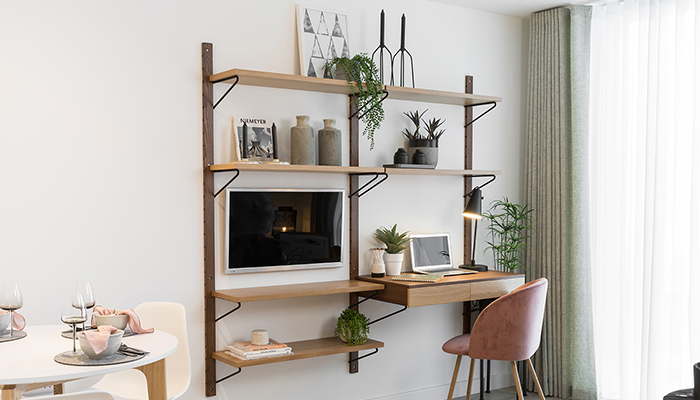
We’ve designed Pocket homes to make the best use of available space, so they have everything you need to live and work comfortably.
When setting up a workspace, there are several options depending on where you prefer to work. We recommend putting a desk in the living area, perpendicular to the window. This is ideal if you want a flexible solution that gives you a dedicated place to work. You could even use your TV as a second screen for your laptop.
Alternatively, you could use your dining table, although this will give you less exposure to natural light. If you opt for this setup, consider the ergonomics of your seating, as a dining chair may not be the most supportive option for long periods of work. You could also use the kitchen countertop as a standing desk.
Find a Pocket apartment to WFH
We hope these working from home tips help you use your Pocket home to its full potential, allowing you to be more productive and maintain a high quality of life while working remotely.
If you’d like to begin your own journey to owning a Pocket home, register for a My Pocket account and have a look at our developments.